Monday, 17 October 2016

BOOT TEST of  ANDROID PHONE vs Aqua Fish aka Jolla C


   On the boot test Jolla Competes with android. As You see, the Phone nicely wins. This is an android phone i bought for mother for 7K indian rupees one year ago and Aqua fish is available at 4.3K Indian rupees. I think they are comparable as newer android phones have similar specs to this phone at this price.

    The Jolla wins because of light weight QT dependent OS, but you cannot expect the same in real use as while most apps are available from official vendors in android, but in Jolla, all Commonly used apps are either Web apps, 3rd Party client apps, apps ported from N9 and N900, or android emulated Apps. So there will be no value in comparison of App based performance. But anyway you can run Frequently used apps as Tiles/cards and they will load without  a delay. But do that only for important apps as apps especially web apps and android apps will consume way more power and effect batterylife. If there is some delay in phone, restart the phone occasionaly as it will clear out apps running in background even in closed condition.

    We can only imagine Official Sailfish Apps getting released in this platform, and Jolla suddenly becomes most smoothest modern OS. But I don't have any hopes for that as an old Lumia owner for 3 years. Even big companies like Nokia and Microsoft Partnership fails, i will be just an overexpectation to see Sailfish rising into a major platform. Anyway, I am contented with my phone.

Using offline data on aquafish aka Jolla C


  • Download heremaps for your country. 

  • Install GCIDE Dictionary and FBreader from openrepos. You can get religious books like bible, english grammer, britannica encyclopedia in parts etc from gutenberg.org
GCIDE Dictionary

Install Zimpedia. Download and copy zim files from wiki.kiwix.org SD cards maynot support files larger than 4 GB depending on technology

Zimpedia
Using Zimpedia


So download simple english wikipedia wikipedia for schools, Wikipedia in your language etc. Medical wikipedia, Wiktionary, Wiktionary, Wikibooks, Wikiversity etc, depending on your need

Also try downloading NCERT books in epub format by serching on internet. You can read them on FBreader by putting under subfolder of FBreader. This will be very useful for students (http://www.gokuldeepak.com/download-ncert-books-epub-edition/)

Better battery life

  • Download minimum android apps as possible as they need additional android runtime to load.

  • Decrease processor speed as ondemand 200MHz(only for developers with terminal)

  • Disable tap to wake(only for developers with terminal)

  • Disable start Android Support on boot from settings(anyone can do this). If you have just used an android app and not need it for some time, then stop android support on the phone. this will disable loading android emulator on background and save the memory for extra time for a travel etc.Occasionaly restart the phone to clear out apps running in background. Also turnoff bluetooth, data, gps and wifi if not required

  • You will get around 2 day battery life with medium usage of native apps only. 

  • Since android apps can drain battery it will reduce to less than one day by android apps

Graphical Apps in Jolla C/ Aqua Fish

DiyIMG

DiYIMG

MiracuCam

Photofunia

The most good app in this aspect. Good effects and filters also are present.
http://imgsdown.1mobile.com/group2/M00/BD/20/S36rZFOHDzSAdN38AACCwl-mqVM97.jpeg
Photofunia

Cowsay 

A funny app for Graphics using text. Results can be copied to other apps.


Paint

Papocchio (for drawing  with stylus)

Papocchio

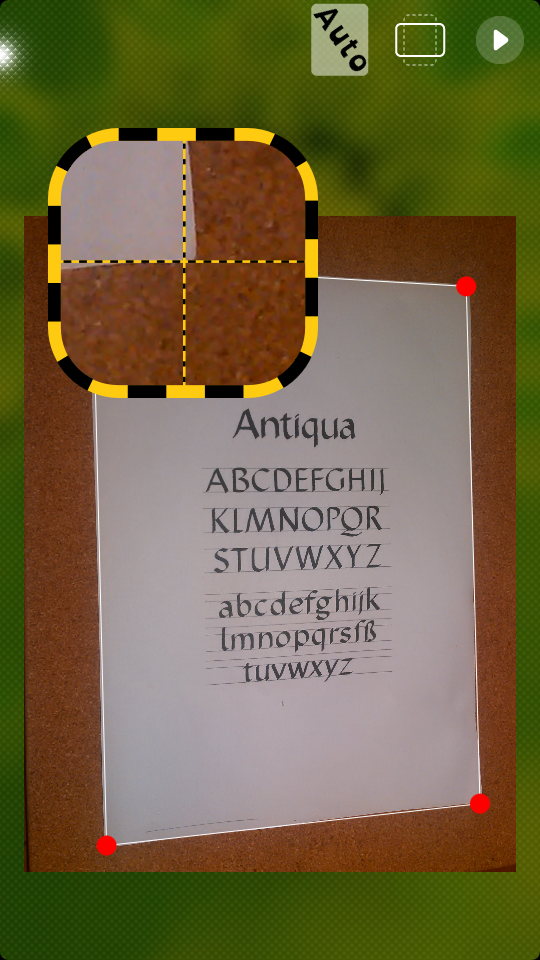
Sailfish scanner

Sailfish Scanner

A simple scanner for cropping away unwanted photos in your photos. Also helps to make a pdf document by combining jpeg images. A must have app for students and proffessionals. Install it from openrepos

Most common queries for Jolla C/ Aqua Fish


How to view/Share images/videos/music in Whatsapp


Install ES file explorer 4.0(9MB version)from store provided. It have inbuilt browser, image gallery, Video/music player etc. and support sharing of files  and opening image editor for images.

To browse videos/images you downloaded natively use filecase. Go to nemo->android storage->Whatsapp. Set this as default folder for starting for your convenience.

How to message someone on Whatsapp who is not on your contacts list

You will experience this problem as google contacts is not editable. ( as this is not part of Android open source project). So browse the groups in which your friend is present. If you find him you can directly message him afterwards as normal. Only problem will be his name will be missing. If your friend is not in any groups or you cannot find him, then you have to send his contact from other android or ios phone to your phone. Ask some friends who have his/her number for that.

How to set notifications with tones in Whatsapp


You should have ES file explorer(or similar android file browser) installed. Then you can set a ringtone from settings of Whatsapp. For that You have to copy ringtones to android storage using a file browser. To enable notifications of Whatsapp when you are not using the app, enable it to load on boot fromm setings->Apps->Whatsapp


How to use playstore on phone


There is playstore preinstalled on your phone. You can access it by using a android launcher

Installing firefox in phone


You need not try to install android Firefox app in you phone(some have reported problems). Your browser have Firefoxbased engine, so it can show everything as firefox

But you should install Webkit (same engine used by apple ios based safari) based browsers like Webcat and Webpirate as they have download manager, Youtube downloader, Swipe to go backward in Web Pirate, Copy text other than links in Webcat ( as default browser helps to copy links only), ad blocking, additional search engines etc.

Webcat support both multiwindow and multitab. You can add an website to launcher by Webpirate also by longpressing on favorite button


How to search for apps

Install quick Launcher from openrepos


How to search everything in phone


Use SearchNemo from jolla store


How to use truecaller

Signin to truecaller. Add to favourites and then to launcher. Your left upper corner will be used as Icon. So zoom till getting get a good icon and repeat adding to favourits/launcher


Playing videos in homescreen


One of the Wonderful features of sailfish OS.For this install llsvideoplayer,YTplayer,Kodi from openrepos. Kodi supports 100% amplification and video zooming and more. You have to turn off touch in Kodi settings as it is optimized for mouse pointer. Use scroll bar for navigation.


Downloading videos from Youtube

Use YTplayer. Some videos are not supported. So install webpirate from openrepos and goto youtube. Mind you this is not legal, still a common thing


Better battery life(only for developers with terminal)

Decrease processor speed as ondemand 200MHz

Disable tap to wake

Disable Android Support on boot (anyone can do this)


For fitness tracking

Meerun from openrepos using gps

pedometer from openrepos using motion sensor


To backup notes

1. Share notes to gmail

2. Backup data to onedrive. bookmarks/notes/settings will be backed up


Multimedia apps for conveting file formats if you cannot use current file in Apps like Whatsapp
Encode from openrepos to change media formats

Resize from openrepos to change photo resoution

Sailfish Scanner(not docscanner in jolla,but Sailfishfrom openrepos as it works better)


If accessories like tempered glass not available
Use accessories for jolla c from ebay


Uninstall gaana


Use nokia Z launcher menu(holding)


Translating different languages

Use TAO translator from openrepos


Readout every notifications

Install billybass from openrepos and run it in background


Is Jio supported


JioTV is supported by connecting to JioFi.

you also have free nexgTV, saavn etc subscription from intex(you will receive sms)

Jiosim can be used for data

Use iEvaphone for freecalls

Way2sms webapp(sigin,add to launcher) for free sms


Block calls


Use phonehook from openrepos


QR codes


Use Codereader from jolla or from openrepos

Taking screenshot


Use screen shot app from jolla store


Fitness tracking apps for Jolla C/ aqua fish

Meerun 

Meerun


Available from openrepos and uses gps. Can store data in gpx format and uses maps for tracking.


Pedometer

Pedometer

Available from openrepos and uses motion sensor. 
Unlike windows phone apps these apps can stay awake even when locked. So good multitasking is ensured


SOME NATIVE/ ANDROID APPS RECOMMENDED IN JOLLA C/ AQUA FISH


WEB BROWSERS

 I recommend to install Webkit (same engine used by apple ios based safari) based browsers like Webcat and Webpirate as they have download manager, Youtube downloader, Swipe to go backward in Web Pirate, Copy text other than links in Webcat ( as default browser helps to copy links only), ad blocking, additional search engines etc. 


                                                     Webpirate browser


Webcat support both multiwindow and multitab.
Webcat browser

 You can add an website to launcher by Webpirate also by longpressing on favorite button

If you are on 2G opera mini for android works fine on the device

If you have installed ES file explorer it also have an inbuilt web browser, hidden in form of favorites .

It's predecessor Nokia N900 is the first phone ever to have a firefox based browser on a phone  

HDR CAMERA

Since no HDR camera native app is available, I use this app for the purpose.

sample hdr image from android app
It isdownloadable from inbuilt store(for android).

QUICKLAUNCHER


It helps to search for apps
Install quick Launcher from openrepos

SearchNemo

It helps to search everything in phone
Use SearchNemo from jolla store

Editing office


Use Microsoft office online webapps. It works fine on device.

Install English Qwerty arrow keyboard from openrepos for 2/4 arrow keyboards

You have native apps called documents preinstalled for reading documents, but if you need offline editing (In Nokia Eseries way) try installing Quick office for android(Now, discontinued and succeeded by google docs as google bought it) by downloading apk. It just take 15mb memory, but is able to view and edit all documents, also helps to share documents by whatsapp.

Screenshot 

Use screenshot app from jolla store. It supports timer, tap to take from tile on home screen.


Codereader

Use Codereader from jolla or from openrepos for viewing QRcodes.


Billybass

Billybass

Install billybass from openrepos and run it in background to readout notifications from phone. You can vary pitch for male/female sounds.


Some other nativeapps recommended from openrepos/jolla store

Vatupassi(level on homescreen)
Lighthouse(kill unwanted apps)
IP address
jolla together
sailcontacts
sailDBMeter
jBoy
jBoy color
jBoy Advance
Recorder etc.

Apps for education

  • Scicalculator
  • TAO Translator(Translates from all common languages)
  • Calculator
  • Plotter(to draw graphs from equaions)
  • Elements(Periodical table properties)
  • Speedcrunch
  • Dictionary training
  • Solar System( typical linux port)
  • Unit converter
  • Currency converter etc. from openrepos/jolla store (whereever it is available)
TAO translator


Best games recommended for Jolla C/ aqua fish


      What is the fun in using a smartphone without games. There are some really good games available on jolla store and open repos. But don't expect all your favorite titles on other platforms here. It just makes possible to kill boredom in places like que. You can however overcome the small number of games by downloading android games. and even Asphalt 8 runs lag free in highest settings on the phone But playing non native games is not recommended by me as it affects the battery life.

Native games recommended from openrepos/jolla store


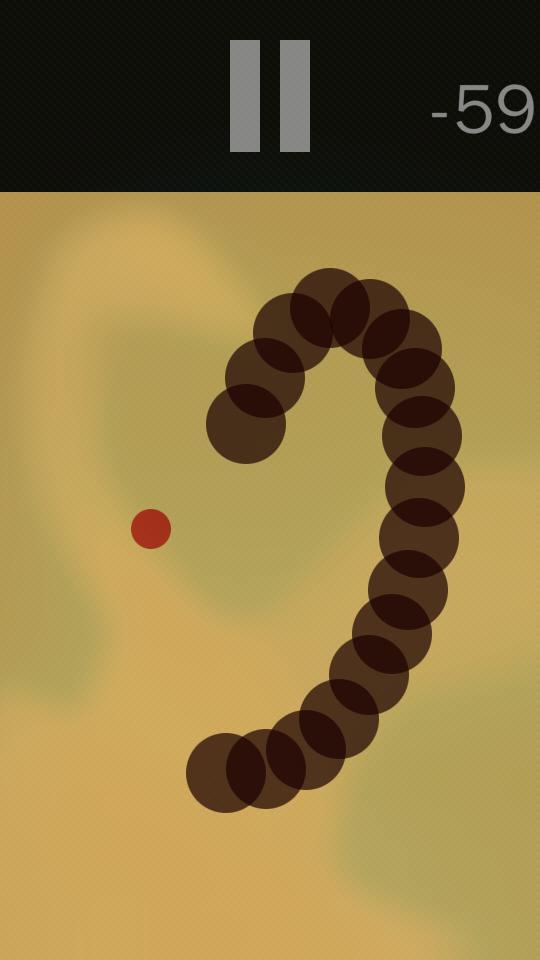
  • Sailworm(The game that have potential to rival the nokia snake TBE game)
  • 2048
  • Heebo
  • Hippopotamus
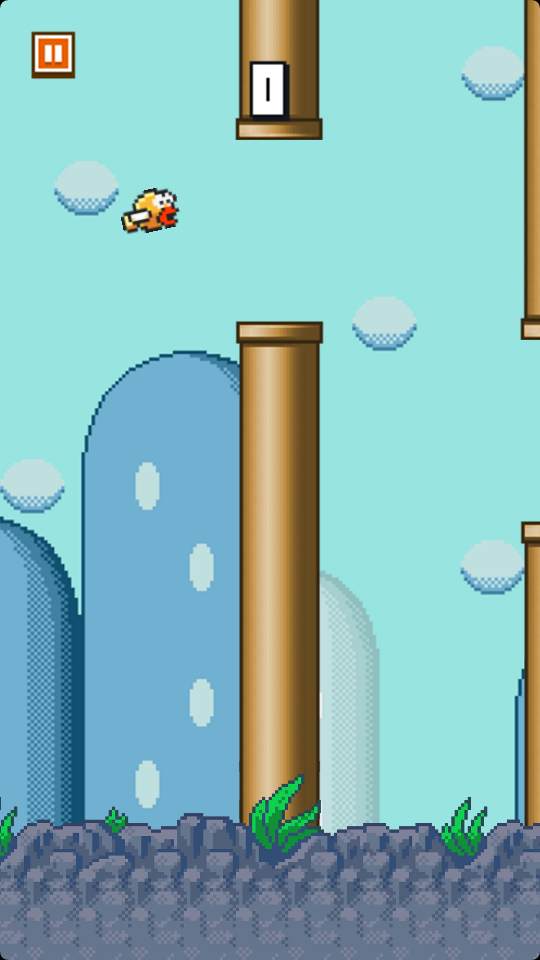
  • Poky Fish
  • Falldown
  • Tappr(Piano Tiles equvalent)
  • Minesweeper
  • Hangman
  • Picross
  • That Cube
    Samegame
  • SailCountries
  • Reaction game
  • Hex trap
  • chro.mono
  • sailyfish
  • saildoku
  • Fast chess
  • snake
  • Morzyn
  • maze
    Puzzlemaster
  • Soltaiegames
  • Sailconnect4
  • Hextrap
  • Petals
  • colordots
  • pixl
  • jewelrush
  • forgetitnot
  • pong
  • Numpty Physics (Don't use menu for pausing as a bug is present, just select level and play)
  • Tictactoe etc.
    Numpty Physics
Hippopotamus
Sailworm
Pokyfish
Falldown

Use web html 5 games also. 
Cut the rope web app
You can play html5 games offline by not closing that tab/browser. Your number of levels played will be stored if you are online.
From gamepix.com you can play cut the rope versions, tap the frog etc. 
Clones for most famous android games are available on web. You can add them to your launcher as webapps.

Also ported games from other old platforms can run easily.  Some apps from openrepos are
jBoy
jBoy color
jBoy Advance etc.
My favorite jBoy color game is Donkey Kong 2001. You can download these games roms freely from web.(not legal)
http://estaticos01.elmundo.es/blogs/elmundo/mundoplayer/imagenes_posts/2013/05/23/51423.jpg
Donkey Kong 2001

Multimedia in Jolla C/ aqua fish


Best music players/radio/multimedia apps availble from jolla/openrepos.


  1. QuasarMX

You will be already in love with this if you have used older Nokia Phones

Play Screen

Playlist Screen

2. Flowplayer

It is also something I always loved in Symbian Phones. It support downloading cover and altering metadata. It have both artist and album flow views
 
Flow Player


3.Received

Have larger number of online radios includingIndian. Browse by Language or by Country

4.AllRadio

Contains large number of European radios 

5.YTPlayer

The native Youube Player. Supports Cover view, browsing categories and downloading

6.SomaFM

SomaFM is an independent Internet-only streaming group of radio channels, supported entirely with donations from listeners.
 

7. Kodi 

I think no intoduction is required. Your favorite smart TV platform (formerly XBMC) on a phone. Supports browsing for videos, music and pictures(support slideshows) from Phone and SD card. You have to disable touch and use side scroller for navigation. Internet TV is not optimized. but supports Plugins like youtube, gmail, evernote etc. The videos have sound amplification, Landscape view in cover mode, zooming and so on. It is the most feaure packed Video player in a Phone.


Settings include amplification

Media Player


7.malayalamonlineradio.in works well as webapp
Native navigation in Jolla C/ aqua fish

Use Modrana from openrepos for point to point navigation. Zoomin required roots before trip for caching maps offline . You can view your location on homescreen. It Supports Caching and Searching, Support Google maps and OSM maps, routing mode etc. It is best app for the purpose in this phone. And it was precent in older Nokias like N900, so many of you will be already familiar with interface.


Modrana


Routing mode


Use Poormaps from openrepos for turn by turn navigation


Poor Maps

Use Google maps web app 
 
Use Osmmaps for imporing complete Indian/or any country maps offline(for developers only as terminal is required). You can get complete Indian maps by searching on google

How to share files in aqua fish/ Jolla C


1. Use conventional methods like bluetooth, usb, whatsapp, telegram, email etc. Use Filecase for sending files by bluetooth.

2. Use terminal by enabling developer mode. There are many methods for this(meant only for powerusers/developers)

3. Install filecase from openrepos and add services like onedrive, Dropbox etc. Use copy and paste.
Filecase


The good thing about filecase against android file managers is that it supports Copying from multiple folders to clipboard.

4. Use ES file explorer. Use same wifi mode. Connect to same wifi or hotspot(after enabling data). Send/Receive. This method works with shareit, xender etc. (Search on Youtube for that)

 ES 


5. To transfer files to a PC, scan for LAN/Network in ES.  In PC Right click on C,D drives etc. Select properties.

Enable sharing of folder. Change permissions for everyone. Check Full control option. Sign in to PC by your user name/password.

Check remember password option and Put as favourite

6. (By using a native app). Install sailserver from jolla store. Turn on wifihotspot on the android phone and connect it.

No need to turn on data by his method. Turn on sailserver. Typein the IP address on chrome of android.

This method supports transfer of files of any size from the phone. But to the  phone, there is a limit of 10 MB.

Sailserver


Why Shareit not working properly

Because sailfish cares your security. The condition is similar in all secure operating systems like Windows Phone, IOS. Only in android you can expect a feature like this. Such apps helps to add spams to invade your pricacy which your big brother google has already taken.

How to share Note/contacts from gmail/text/bookmarks from PC
Use Send to Phone and Wlan Keyboard from openrepos

Send to Phone


Native Social networking in aqua fish/ Jolla C


1. Use telegram web. Sign in, put as favorites, goto favourites, add to launcher. Use Jollagram or sailorgram from openreops also. Add contacts/groups manually. ( I recommend sailorgram as it works better)

Sailorgram


2. USe Prostogram for instagram from openrepos

3. Use Sailbook from openrepos for facebook. Add facebook from accounts for notifications. Use builtin gallery for sharing photos/videos

4. Use Tweetian for twitter. Add Twitter from accounts for notifications.
  Tweetian


5. Install microsoft exchange from jolla store for outlook, contacts from outlook etc. Then add account of microsoft exchange

6. Add gmail account from accounts in settings.

Smiley apps are there in openrepos. Also different language and layout like Qwertz keyboards are available from openrepos

There is no native application for whatsapp because the whatsapp blocks every unofficial apps, never releases a web client and never produces an app for rising platforms. All in the name of security. And yet they share data with facebook. From this you can understand their policy.

Saturday, 8 October 2016

DZ09 CHINESE SMARTWATCH REVIEW

 DZ


SBA SW-001 CHINESE SMARTWATCH REVIEW

I bought this and it delivered well. But I thought this is same as DZ09 judging by looks.
Now I understand it is a clone of DZ09 which is also a clone of Samsung gear 2 albeit a much better product.
Friends, I did the mistake of buying this instead of original DZ09.
So how to check if it is fake.
I have mentioned below the differences I understood(The addtional features you get in the original)
1. The original have a video player
2. The original support mp4 and 3gp videos.
3. The original has a dropdown notification menu
4. The original have cool animations when you swipe through the menu.
5. The original does have a video recorder
6. The original have some internal ROM usable. The fake have no usable internal memory
7. The original does support installation of .vxp applications. You can install apps like pdf viewer, powerpoint viewer, document viewer and so on and that is cool really!!
8. The original have 128 mb ram which is enough for a smartwatch. This has just 32 mb ram like old nokia s30 basic feature phone.So this is more like an unsold feature phone reshaped and reprogrammed to a smart watch. I donot know if it is really smart.
9. The original has theme settings.
So please think before you buy. I gave 2 star because notifications and music player works well. But the camera is pathetic. I have seen the original DZ09 taking much clear images in youtube videos. There are many products selling in the name and looks of DZ09. PLEASE DON'T THINK THE ALL VERSIONS ARE OF SAME FEATURES IF IT HAVE NAME DZ-09. I have seen many saying things like this like this feature is missing, fake product etc. SO READ ALL COMMENTS BEFORE YOU BUY.
You cannot complain much on this product since it is cheap. But many are selling this kind of products at higher prices and DZ09 name.
So I wish best of luck for all folks who are interested in original DZ09. Please mention in comments if you got the original DZ09(or mail me to harianilchandran@gmail.com with link so that I also can get original one)The original. Please upvote this so that everyone can understand the truth about the original and fake version. Thankyou.

Update after using it for two weeks:
The uses I found with the watch is as follows:
1. Can control music in your phone
2. Can play music through Bluetooth headset or by loudspeaker (with lower quality). The volume is enough considering it's size.
3. Can controll camera after installing notifier app on camera.Inbuilt camera is useless for any function. I mean it's functional with good number of functions but have low quality for practical use.
4. Usable as a pedometer, but so many problems will limit it. I will explain them below.
5. Getting notifications from watch works well, but it is not comparable to real smartwatch due to lack of applications for them. Common notifier cannot display all the notifications from WhatsApp and similar apps. Also a single line message is provided.
The short comings of the device are:
1. The inbuilt whatsapp, twitter and facebook never works. It is browser based system that struggles to load even small websites. And you know whatsapp is not supported on any feature phone browsers.
2. The pedometer starts counting only after some time. And it will stop counting after sometime. You will not know when.
3. The device lags a little on loading anything after two weeks of use which is quite embarrassing. This is shame because it is not a smart os like android wear. Nokia feature phones( I mean non symbian, you should know the difference between s60 smart phones and s40, s30 feature phones) never lags after years of use.
4. The fundo app is the best app for the device because it is the only app that provides syncing of pedometer app along with remote camera and BT notifier features provided by other apps. The watch auto connects to phone but not to app. You have to disconnect it first and then connect it by searching on watch, which is a tedisome process.
4. Low battery life if it is connected to phone more time. As a watch it can stay for 3 days, but as a smart watch for one day only.
5. The phone function have very low audio quality. And messaging will be pretty difficult in typing on such a small screen
6. Antilost function is mostly useless as it have to remain in very nearby position and should be connected to the app
7. No stop watch function. There is a sleep monitor that can function in similar way but without milli seconds. Also no timer is available. Sedentary reminder is just an alarm and not detect our motion.
8. Inbuilt memory only for saving 100 contacts which is lower than most feature phones.
9. Low quality sound recorder. And you have to stay in the app and cannot even check time while using this.
10. Easily scratchpicking plastic watch along with non replaceable . But it is still od nice quality because it survived a seven feet fall from the rack.
IF YOU HAVE LOW EXPECTATIONS THS WATCH CAN BE WONDERFUL BUT FOR OTHER FUNCTIONS LIKE AS A FITNESS TRACKER, IT MAY NOT SERVE YOUR NEED. For that there are many other choices.
Still I would rate it two star for the functions it provide for the cost


 MY TRUE AND HONEST REVIEW


A SMART PHONE FOR

PEOPLE WITH DIFFERENT OUTLOOK


FOR WHOM THIS PHONE IS INTENDED


  1. For true Nokia fan boys
  2. For Linux enthusiasts
  3. For people who want a new experience in smart phones, and ready to spend time in searching for compatible apps
  4. For developers
  5. For normal people who want a secondary phone


THIS PHONE IS NOT FOR COMMON PEOPLE WHO WANT A CHEAP ANDROID PHONE (This includes 99% of Indians) . SO IF YOU ARE ONE AND THOUGHT IT IS AN ANDROID PHONE WITH A CUSTOMIZED LAUNCHER, NO, PLEASE DON'T GO WRONG BY BUYING IT. SO DON'T WASTE YOUR TIME FURTHER LOOKING AT THIS PHONE. IT IS FAR FROM AN ANDROID PHONE. IT HAVE A DIFFERENT PLATFORM TO EMULATE ANDROID APPS. IT CANNOT RUN MANY WELL KNOWN ANDROID APPS BECAUSE IT DON'T HAVE NEITHER GOOGLE SUPPORT NOR SUPPORT ANDROID HARDWARE LIKE BLUETOOTH SUPPORT FOR SMART WATCH,CAR AUDIO, ANDROID SUPPORTED TV AND WIFI CAMERAS.


WHY I BOUGHT THE AQUA FISH

  • It's open crowd sourced OS, It's more open than android since there are no private drivers that stop us from customizing if phone is not rooted
  • It is polished and/or cheaper than other good open OS platforms, like tizen, ubuntu, firefox


  • It supports android and web apps, Kodi plugin apps, Ported rom games (gb, gbc, gba etc) along with native/ linux ported apps
  • It have deep roots (80% code is same) in meego and related to meamo which nokia surprised but never widely released from 2005 onwards. I was very much depressed when nokia ditched it in favor of Windows even after winning best phone award for N9-00 at MWC. I always wanted a return
  • I used only Nokia phones for years and never had any desire towards other company flavour android or Microsoft moded android in nokia X. Now I use a Nokia Lumia but Nokia left the group of Microsoft and sold off here and mixradio because of loss. And in the future windows phone is meant only for enterprises and not for customers by Microsoft's current policy.Also cannot afford a new Iphone with currently supported OS version. I don't need android phones for any apps as I can do with a PC for web apps and emulated android apps.


THINGS I FOUND BETTER ON JOLLA C/ aqua fish than many other phones

  • Multitasking is true. You will experience it when you have loaded many native apps like different browsers and documents on home screen. Android/Lumia reload them occasionally but not here . True Nokia symbian legacy.
  • Closing apps by swiping down(require to activate it in settings). So much natural like closing a shutter.
  • Going backward on menus by swiping
  • You can control going landscape (autorotation) by pressing on screen while rotating
  • It supports Onedrive ( including backup of settings), facebook, gmail and twitter out of box. Those coming from lumia will be happy with that. No app is required for this.
  • Keyboard supports all local languages by default, no need to download any other language keyboards, Also it supports split keyboard by default for two thumb typing(require to activate it in settings)
  • The backspace if hold will not clear continuously, but by double click you can do it, helps in unexpected clearing
  • Zooming when selected text
  • The Stylish app Icons and App folders if properly arranged can make android and IOS intefaces less appealing
  • Inbuilt Calculator lets editing on prevoius operations easily
  • Deleting anything gives option to undo for 5 seconds
  • Can customize camera button location on screen
  • Multitasking with controls on home screen
  • You don't have to reach top of the phone for notifications and quick settings, better one hand support vby scrolling left side(require to activate it in settings)
  • Native suppot for android HERE maps(prevous nokia maps) including locating by cell tower and wifi( traditional Nokia way!)
  • Can uninstall gaana app by installing any Nokia Z launcher, the only bloatware present
  • You can go to menu while using any app, also can peak to home screen by side words, peek to see time downwards, native full screen apps feel so good
  • The ambience. You don't have to download themes, by swiping down from any photo a theme is created
  • You can save web as html files. Quite helpful feature in native browser for transferring files to PC
  • Button free OS. You really don't need buttons. You can control volume, lock and unlock, go to homescreen etc. by swiping. You may need it for occasional restart, but you can avoid it also by installing sailfish utilities. So you can forget about buttons
  • Removable battery, dual sim and SD card support
  • Better security, Turing phone used it and dropped android because of security
  • You can control buttons even after removing back cover, which comes in handy to check some sim/SD
  • Sound is not reduced while placing any where as speakers are on side
  • You can Flip phone to silence it (require to activate it in settings)
  • Can take photos by either volume buttons; a camera key is not at all needed
  • Continuous autofocus on camera, fast focusing and processing
  • Take screenshots by one hand No more struggles for pressing two buttons by other hand
  • Swipe to take photos, take note view notifications and more by one hand on lockscreen(activate it)
  • You can watch a video on YouTube/files, hear and change some other music, check level, follow where are you going on maps etc at the same time. Better suited multitasking for a phone than multi window approach
  • If you use native apps and web apps only phone is a beast. (Add web apps by going the sites that support mobile like google photos and maps, telegram, Amazon etc. and sign in. Now add to favorites. Now go to favorites and select add to launcher. You can now remove from favorites if required) Also jolla 1 is still supported after 3 years. Long term support than phones that are many times costly
  • Linux supports offline Wikipedia, Music Player Daemon, osmmaps for offline for many years. These apps are always easier to access in sailfish because it was supported in its earlier 'versions' like meamo, meego before finding a way to windows PC and android/ios phones

YOU SHOULD RESEARCH WHAT THIS PHONE IS ABOUT BEFORE BUYING  AND WRITING REVIEWS

sample photo by main camera


The box arrived!


 The Phone


The Screen


 The chamfered edges and sandwich consruction


The cover from ebay

Unboxing was exciting


Notifications


App folder View


Launcher with app folders


Zimpedia- The most useful app in any platform 

 Run upto 15 Apps in Tiles

Peeking into homescreen while playing Video


Gallery

Lock Screen

Can show any opened note on screen

The App Launcher

The simple and useful Multitasking Tiles


Running some games and Web App


Phone Before removing Screen Guard


playing a music, viewing a video, tracking your location, and checking you mail all at the same time


       THIS IS NOT ANDROID, I REPEAT THAT, YOU CANNOT USE MANY ANDROID APPS, AND USING ANDROID APPS DECREASES BATTERYLIFE ALSO
USE MINIMUM ANDROID APPS. I SAW THAT MOST NUMBER OF RATINGS ARE ONE STAR. IF THIS IS SUCH BAD (SOME SAY NEW AND DIFFICULT) OS HOW IT'S PREDCCESSORS WON PRESTIGIOUS INTERNATIONAL AWARDS(BEST DEVICE AWARD FOR JOLLA TABLET, BEST PHONE AWARD FOR N9)
SEARCH ON YOUTUBE AND SEE N900 ADS AND COMPARE IT WITH WHAT CRAP PHONES YOU HAD IN 2009. THIS IS AN OS EVERONE WANT TO REVIVE
ITS RESOURCES ARE BROUGHT BY SAMSUNG FOR BUILDING TIZEN. ITS AMBIENCE THEME IS COPIED BY APPLE. GERMAN HACKERS TRIES TO REVIVE THIS
RUSSIAN GOVERNMENT PROMOTE THIS AND PEOPLE ARE READY TO IMPORT PHONE WITH MORE THAN TWICE PRICE FROM INDIA( WE ARE ACTUALLY LUCKY)
GOOGLE INTRODUCED SWIPE LAUNCHER AND MULTIWINDOW INSPIRED FROM THIS OS. BB OS IS HEAVILY INSPIRED FROM THIS OS
BUT INSPITE OF ALL THESE FAMOUS COPIES REAL NOKIA ENGINEERS WHO DEVELOPED MEAMO/MEEGO ARE BEHIND DESIGNING YHIS PHONE AND OS,
BUT THEY ARE BANKRUPT SO NO APPS IN THIS PLATFORM, IF YOU LOVED OLD NOKIA(NOT CURRENT REMAINING FIRM) YOU SHOULD SUPPORT THEM.
NOKIA/JOLLA IS BANKRUPT ONLY BECUASE OF THEIR POLICY OF MAKING SECURE, LONGLASTING AND USERFRIENDLY PHONES WITHOUT COMPROMISE IN PRICE LIKE CHINESE/KOREAN PHONES YOU LIKE.
THE MOST SECURE (ALSO WITH FIRST 12GB RAM) PHONE FROM TURING USES THIS OS

If you still have any further queries contact me here or personally by harianilchandran@gmail.com